01 / CREATOR TOOL
Realtime video as an editable take
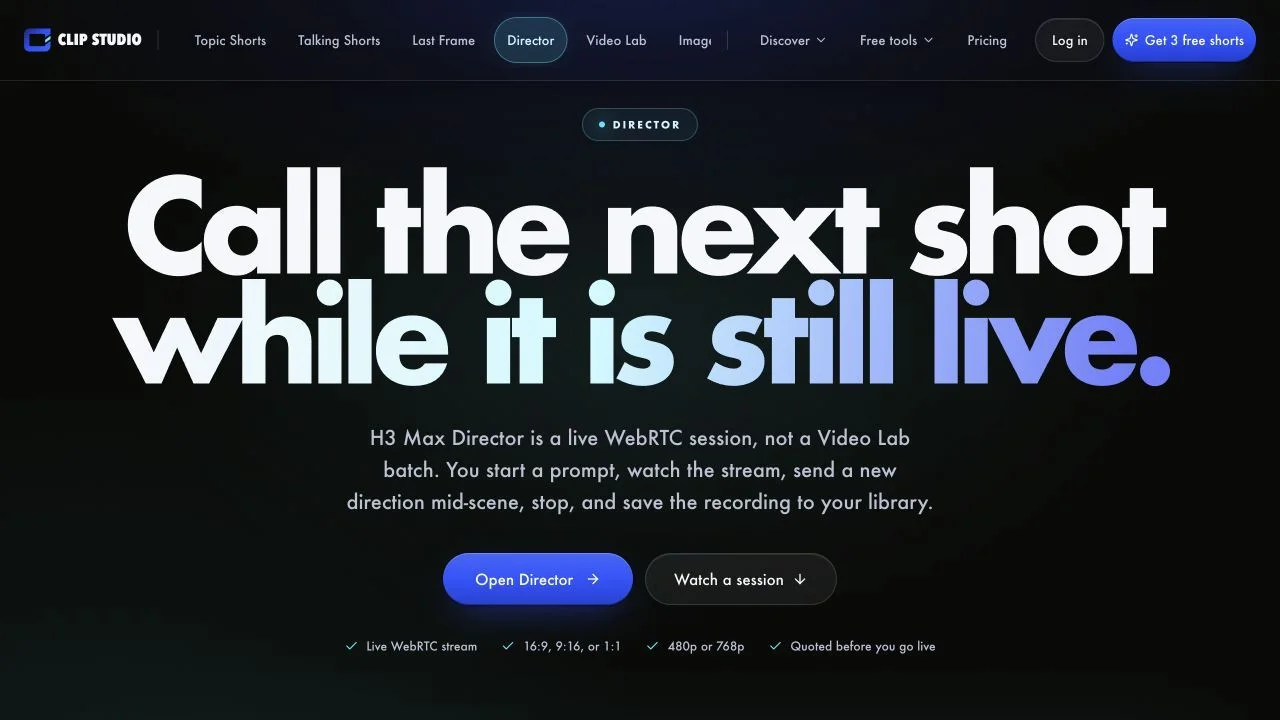
Clip Studio Director exposes the model's native realtime contract as a focused creator tool rather than a public broadcast. A user chooses the opening, aspect ratio, resolution, and session cap, then sends new directions while video and audio are streaming.
The recording is saved into the same library as the studio's batch generations. That makes it a useful example of realtime video as an editing primitive, not only as television.
Clip Studio Director turns the same live-session contract used by public AI channels into a private production surface. A creator chooses an opening prompt, framing, resolution, and duration, then directs the take while it is already producing synchronized video and audio.
The output is not disposable. Stopping the session finalizes an MP4 in the creator's library alongside conventional generations. That makes the tool a useful bridge between realtime interaction and an asset workflow: the session is live while it happens, but the result can be reviewed, downloaded, or used in a later edit.
02 / CREATOR WORKFLOW
Configure once, then direct what happens next
The opening prompt and optional first-frame image establish a visual direction before the connection begins. Aspect ratio, output size, and a stated 60, 90, or 120-second cap give the creator a bounded take rather than an indefinite public channel.
Once connected, direction becomes temporal. A new instruction is meant to affect upcoming motion and events rather than regenerate everything already seen. This changes how prompts should be written: concise course corrections are more useful than repeatedly restating a full scene description.
That temporal workflow also changes review. A creator cannot judge only the final frame; they need to watch whether a direction arrives smoothly, preserves the subject, and keeps audio and motion coherent across the transition. Saving the take makes those decisions inspectable after the live session has ended.
- Private session instead of public audience programming.
- Server-side proxying keeps the provider credential out of browser code.
- A recorded MP4 connects the live session to a reusable media library.
03 / SESSION CONTROL
Mid-stream instructions alter the unfinished part of the take
Director delivers media over WebRTC and accepts later prompt messages during the same session. Configure, steer, stop, and record form one continuous lifecycle rather than a chain of unrelated batch requests.
The signed-in creator sends mid-stream directions to a private session and saves the result as an MP4.
The official product page describes a WebRTC session with configure, live prompt updates, stop, and recording rather than a queue of independent batch clips.
- 01
An opening prompt and optional first-frame image configure the session.
- 02
Mid-stream directions steer upcoming segments without starting a separate generation job.
- 03
A server proxy keeps the fal credential out of browser code.
- 04
Stopping finalizes a recording for the user's private library.
04 / PURCHASE CONTEXT
A focused studio with credits and time limits
This is a signed-in paid creation workflow, not an open livestream. Before using it, confirm current credit settlement, available resolutions, model access, and session limits on the product because those commercial details can change.
- This is a private creator session, not a public livestream or audience-chat product.
- Session limits, credit settlement, and model availability may change and should be checked on the product before purchase.
- The implementation is closed source.
05 / PRODUCT AND API
Two first-party sources describe the complete session loop
Clip Studio documents its interface, access, caps, and save behavior. fal's API reference independently defines the underlying WebRTC message lifecycle used to classify the mechanism.